
Coordinate strategy state
Run lifecycle hooks, universe selection, market events, alpha models, insight pipelines, and teardown in a predictable order.
Build modular strategies, coordinate signals, enforce portfolio risk, connect brokers and data providers, and run the same strategy-facing logic in backtests and live trading.
AQE owns the path from incoming market events to reviewable trading outcomes. Strategy code stays focused on decisions while the engine coordinates state, execution, persistence, and integrations around it.
Run lifecycle hooks, universe selection, market events, alpha models, insight pipelines, and teardown in a predictable order.
Represent intent as stateful insights that can be sized, validated, transformed, submitted, filled, rejected, managed, and closed.
Put execution and market data behind engine traits so broker or provider changes do not force a strategy rewrite.
Persist account, equity, event, metric, and insight state for terminal monitoring or optional synchronization into AQS.
Explore the modules, follow the animated execution path, and select a node to inspect its responsibility in the runtime.
Coordinate lifecycle hooks, market events, state, models, and configured runtime components.
AQE uses Rust because systematic trading runtimes are long-lived, stateful, concurrent systems. The practical value is tighter control over performance, ownership, failure paths, and resource use.
Compiled execution and explicit runtime models suit event-heavy strategies and repeated historical runs.
Rust removes broad classes of memory errors from long-running processes that hold market, account, and strategy state.
Async broker, datafeed, and synchronization paths can run without hiding ownership or error handling.
Typed interfaces and explicit result paths make integration failures easier to surface and contain.
pub trait InsightPipe {
    fn version(&self) -> &str;

    fn run(
        &mut self,
        ctx: &mut dyn StrategyContext,
        insight: &mut Insight,
    ) -> InsightPipeResult;
}Insight pipes are state-aware processors around every trading decision. Combine focused components instead of embedding sizing, time filters, stops, submissions, and position management into one strategy body.
let mut hyperparameters = HyperParameterConfig::new();
hyperparameters
    .set_sweep_id("ema-crossover-v1")
    .add_hyper_parameter(
        HyperParameter::new("atr_period", 14).values([10, 14, 20]),
    )?
    .add_hyper_parameter(
        HyperParameter::new("ema_period", 21).range(10.0, 30.0, 5.0),
    )?;

let mut state = build_state(timeframe.clone());
state.set_hyper_parameter_config(hyperparameters);
state.run_backtest(start, end, timeframe).await?;Register typed discrete values or numeric ranges beside your strategy, then use the same fallback-backed value in alpha models, insight pipes, or strategy variables. AQE expands combinations only while a sweep runs, creates a fresh state for every seed, and persists each result independently.
--hyper-sweep runs every combination sequentially.--hyper-seed <prefix> runs one reproducible combination.AQE uses the same strategy lifecycle and component model across historical research and live sessions. The broker and datafeed composition changes; the strategy does not need a second implementation.
Startup, universe, initialization, bars, insights, pipelines, and teardown retain the same runtime order.
UnifiedBroker composes the execution provider and datafeed for the selected environment.
Backtests persist SQLite results; live sessions expose scoped state for the TUI or AQS.
AQE is a standalone runtime. AQS is optional, remote nodes are optional, and broker or data providers sit behind integration boundaries you can extend.
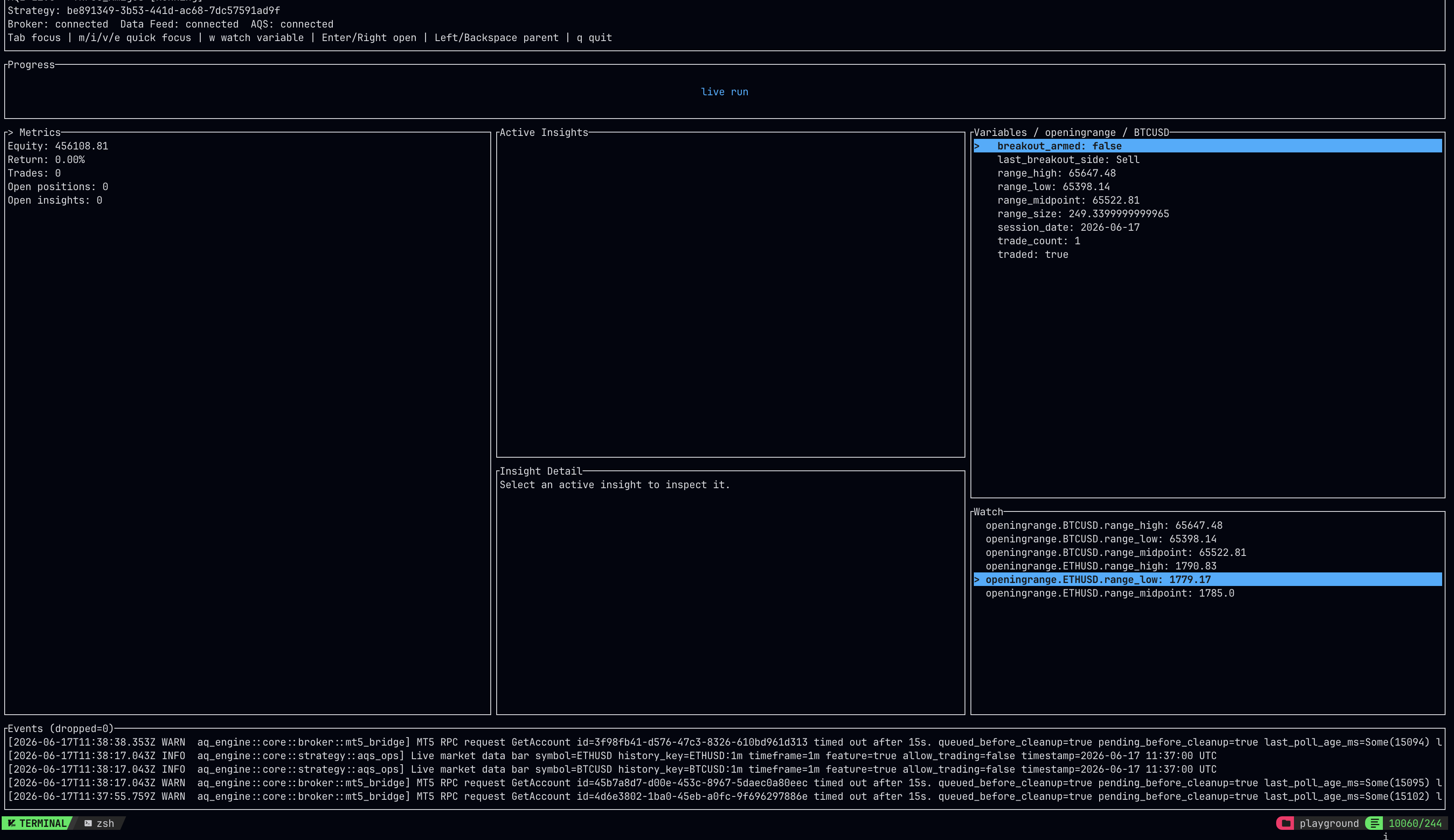
The documentation and source expose the current runtime contracts, lifecycle, broker integrations, datafeeds, insight model, and operational state.
Historical simulation and live MetaTrader 5 order routing behind broker traits.
Read broker docs →Historical bars, quotes, and live data through replaceable datafeed traits.
Read datafeed docs →Stateful trading intent with processing paths for sizing, validation, submission, and management.
Read pipeline docs →Synchronize engine state into Studio for visual inspection and live operations.
Read AQS docs →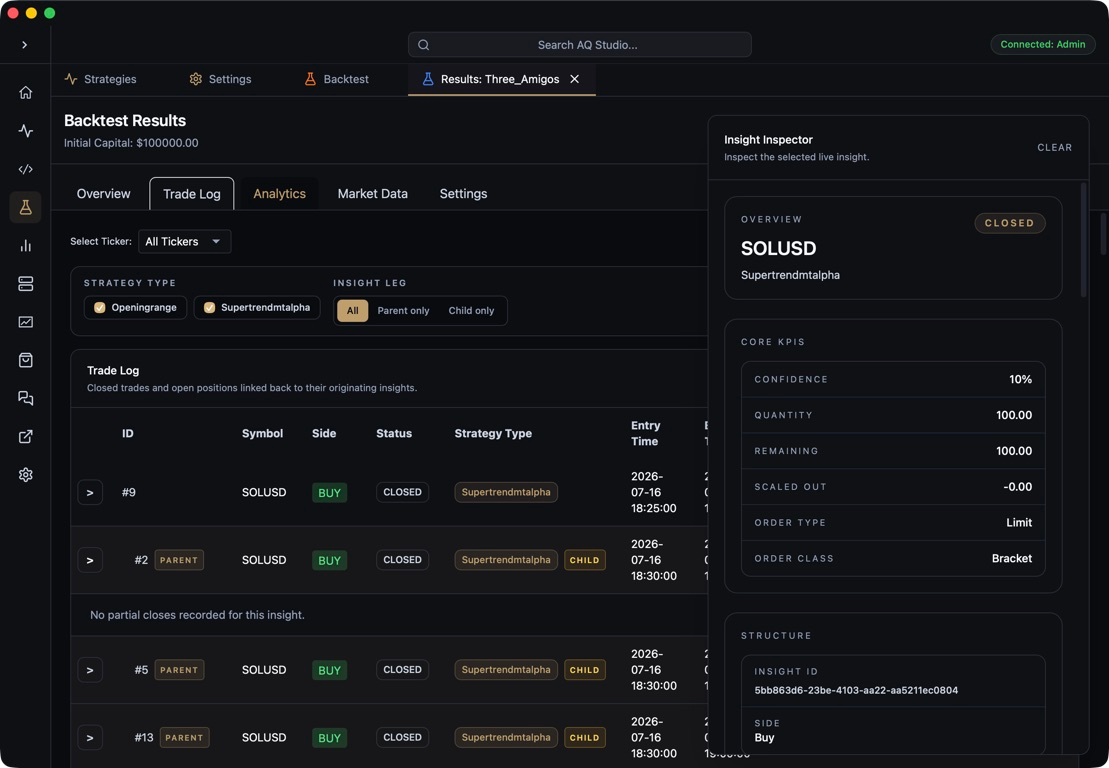
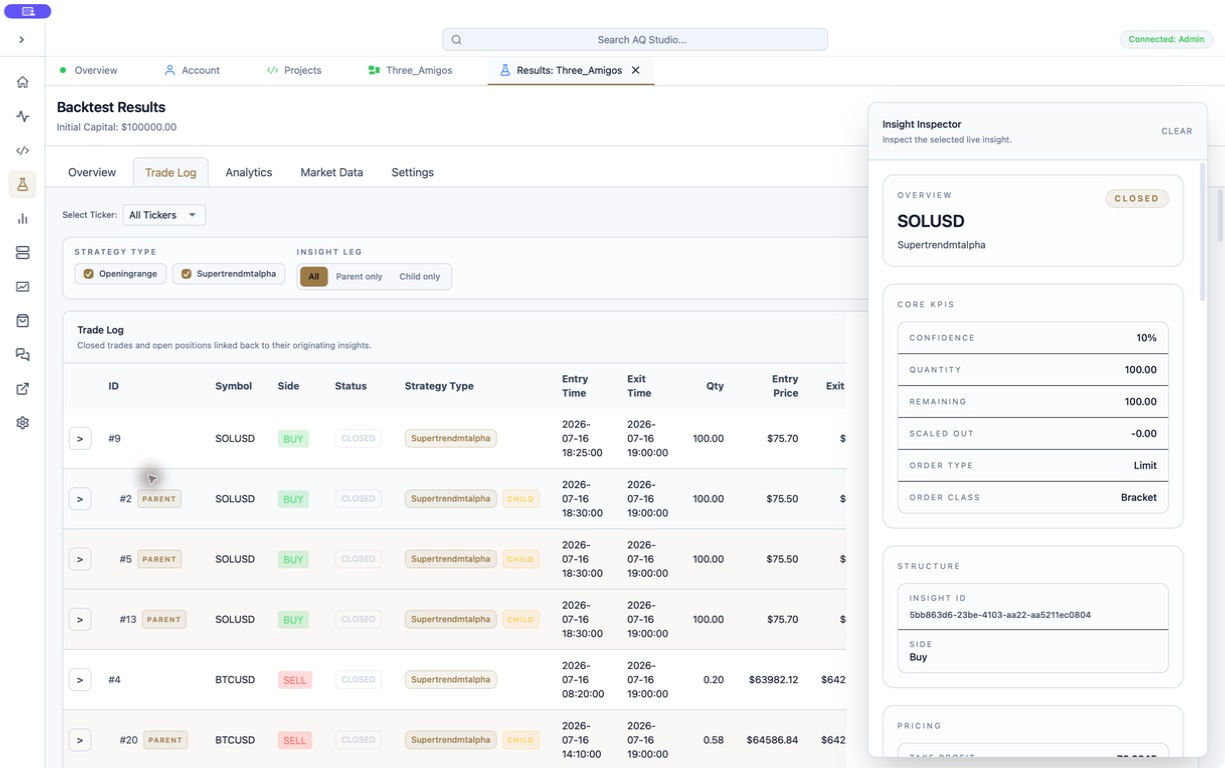
AQE remains useful on its own for developers building custom systems. AQS adds node-based composition, backtest review, deployment controls, live dashboards, and Insight Flow around the runtime.
Start with the lifecycle documentation, run the blank strategy, then connect the broker, datafeed, and operating surface your workflow requires.
We use essential cookies and storage for sign-in, account security, colour theme preferences, this notice, and required PostHog internal usage, session quality, and reliability metrics. We do not use advertising cookies.